
Rate Limit
Rate Limit
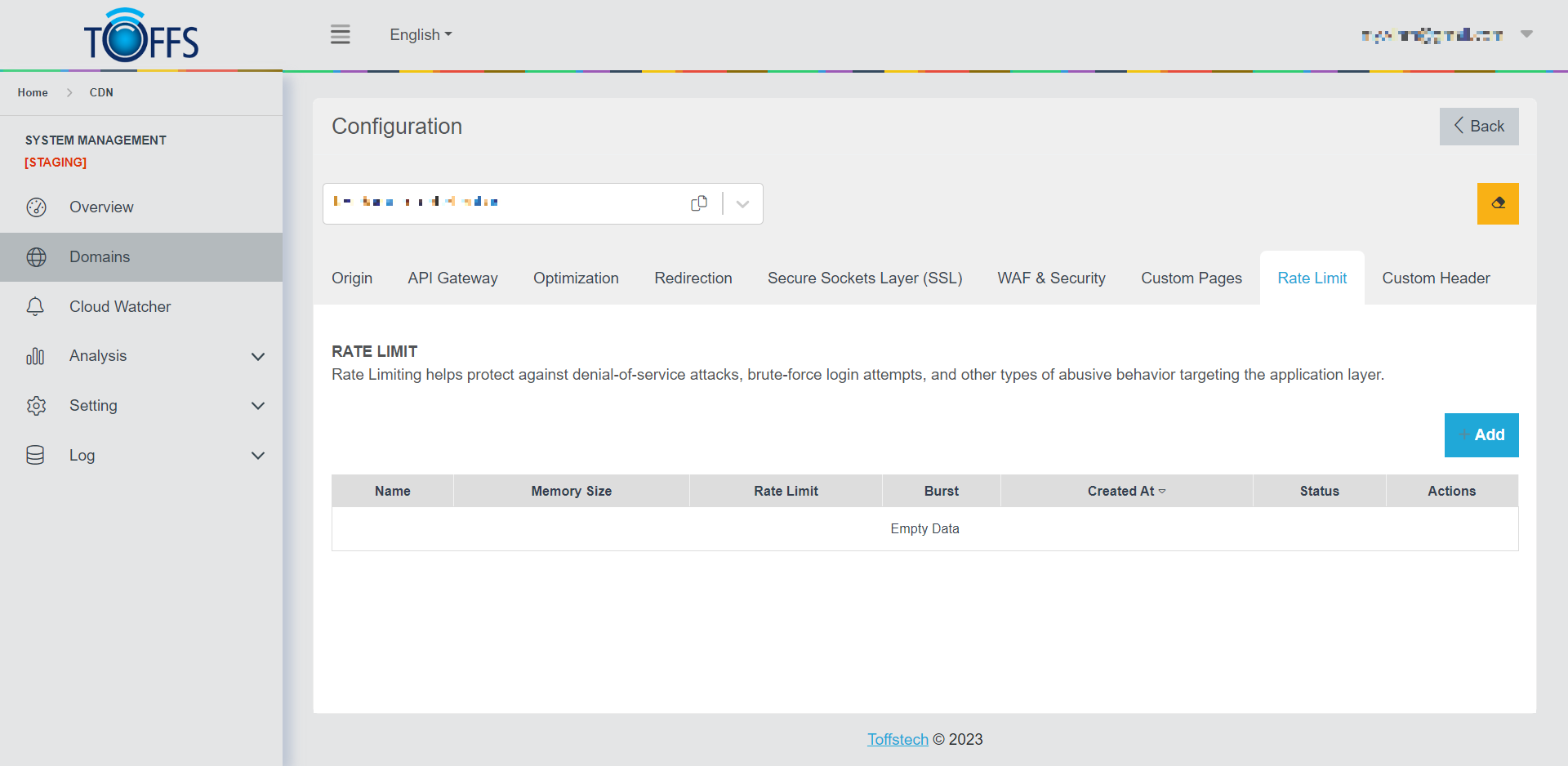 Figure 136
This is the “Rate Limit” page under the “Configuration” page.
Rate Limiting is a vital security measure that safeguards against denial-of-service attacks, brute-force login attempts, and other forms of abusive behavior targeting the application layer.
To create a Rate Limit rule for a specific domain, follow these steps:
Step 1: Click the “+Add” button to initiate the setup process.
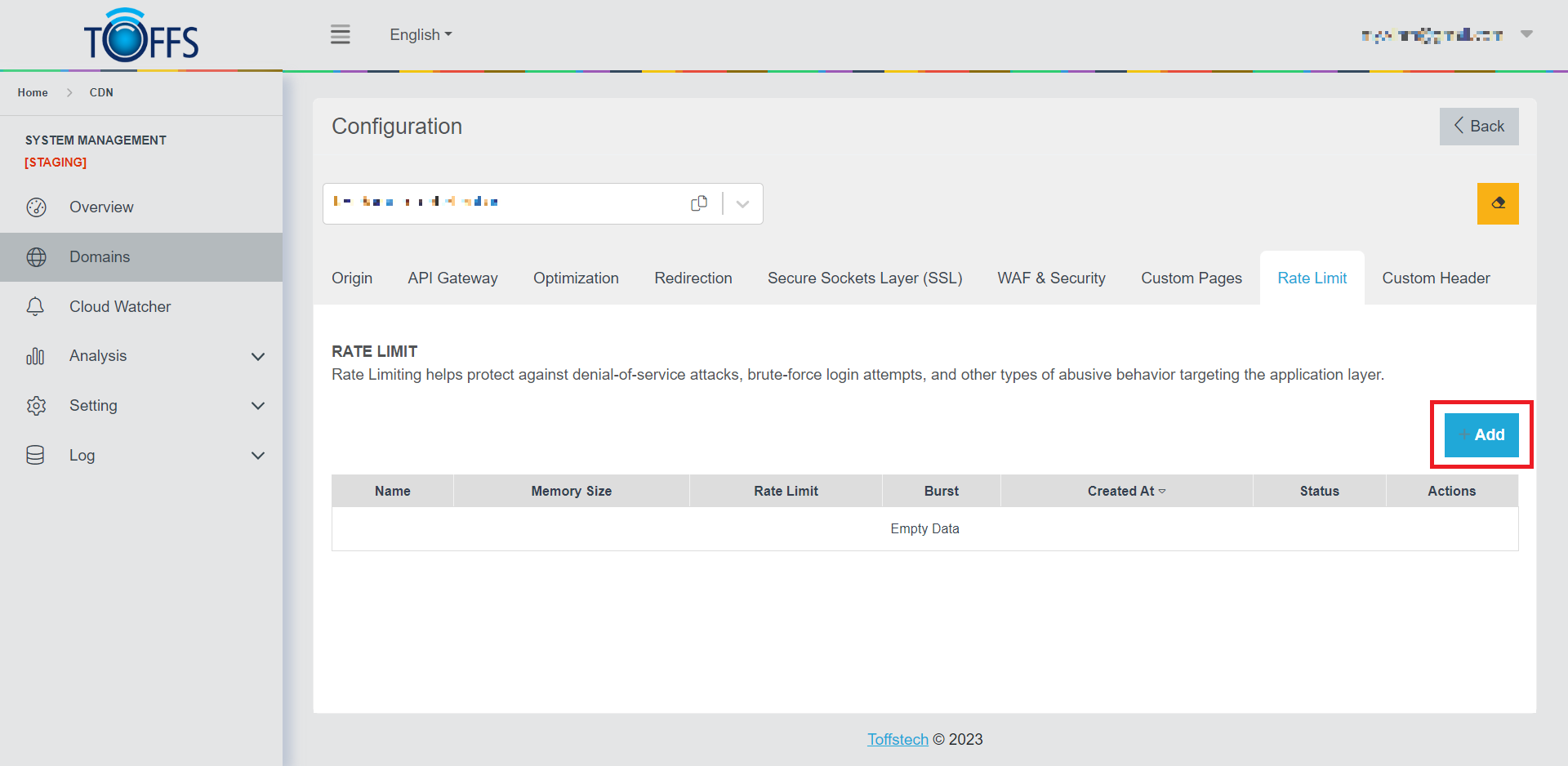 Figure 137
Step 2: Provide a descriptive name for the rule in the “Rule name” field.
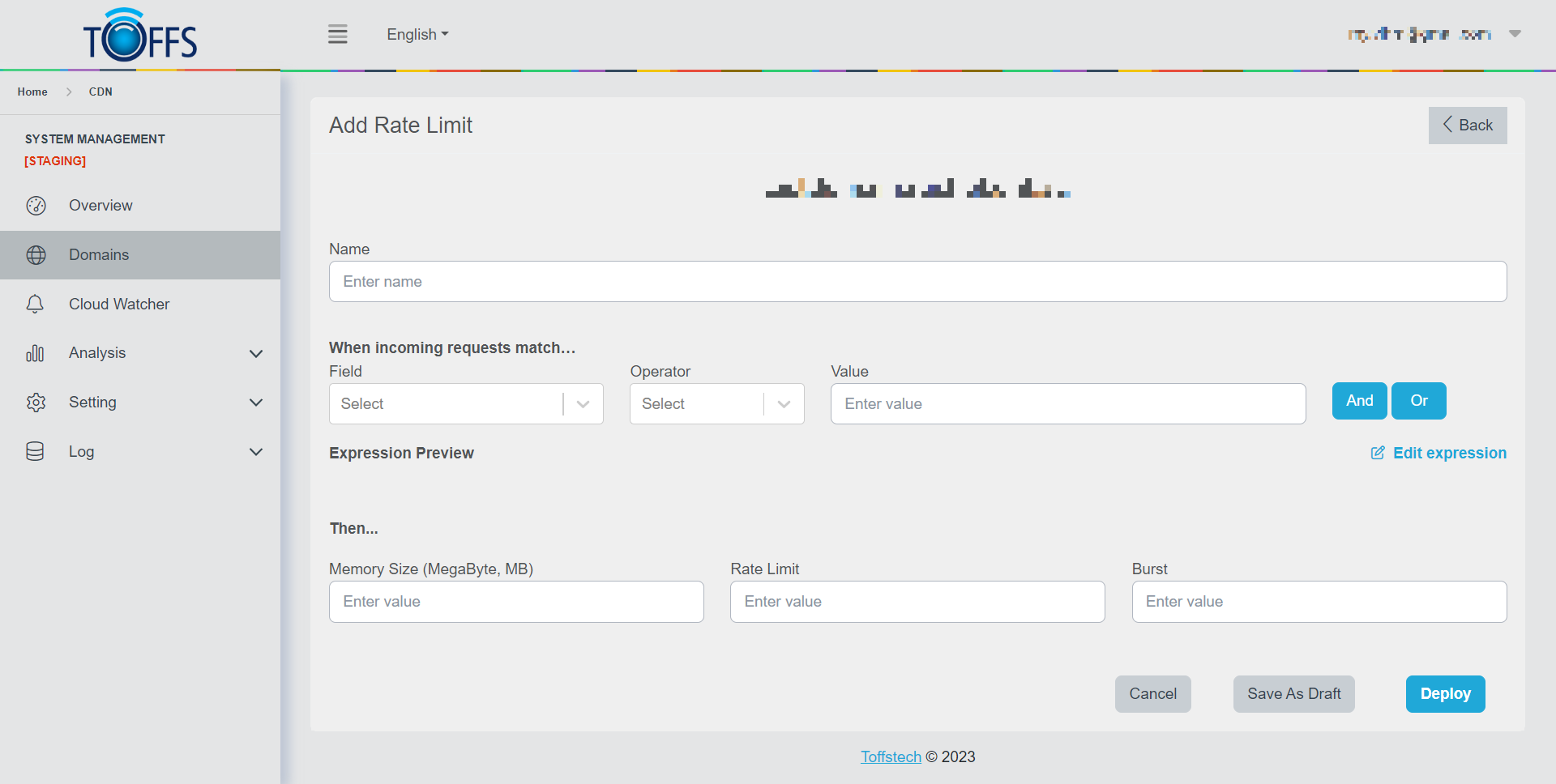 Figure 138
Step 3: Under the “When incoming requests match” section, use the “Field” drop-down list to select an HTTP property. Each incoming request’s property, chosen from the list, will be compared to the specified “Value” using the selected “Operator”.
Step 4: Moving to the “Then” section, set the values for the following parameters:
- Memory Size: This determines the amount of memory the system will allocate for storage.
- Rate Limit: Set the maximum number of requests allowed per second.
- Burst: Specify the number of requests that can queue up to be handled.
Step 5: To save and activate your rule, click the “Deploy” button. If you wish to save your progress without activating the rule immediately, you can choose “Save as Draft”.
Once the requests to the domain adhere to the Rate Limit rule you’ve set, the system will respond with the HTTP status code 429. This indicates that the request has been rejected due to exceeding the allowed rate. By implementing Rate Limiting, you can better protect your application from potential threats and ensure smoother performance.
Please contact Toffs Security Operation Center for assistance if you encounter any issues.