
DNS Management
DNS Management
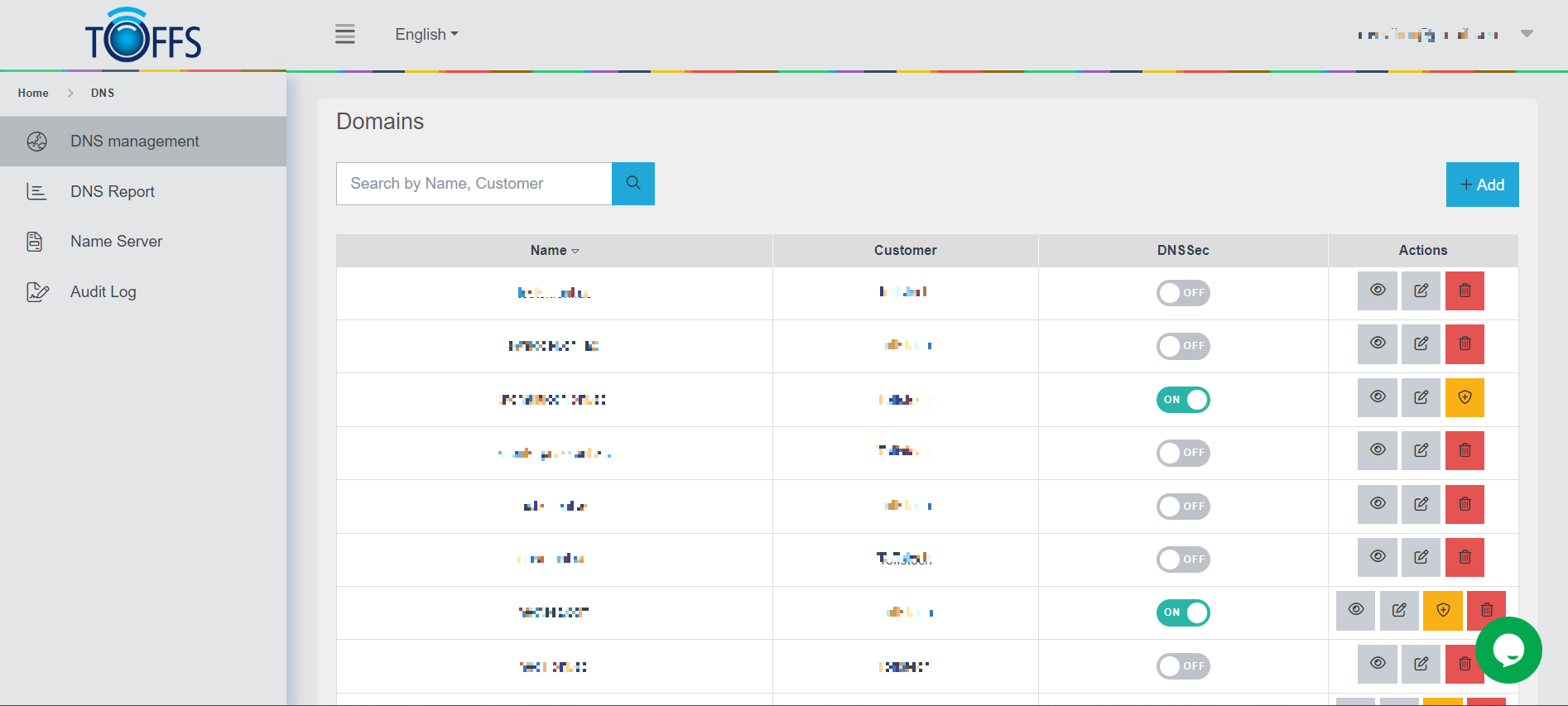
Figure 218
In this section, you’ll learn how to efficiently manage the domains associated with your account. Let’s explore the various functions available on the “DNS Management” page:
-
Adding a New Domain: To add a new domain to your account, click on the “+Add” function. This will enable you to include a new domain and configure its settings.
-
Viewing Subdomains: If you want to check the subdomains of a specific domain, simply click on the “View” button corresponding to that domain. This will display a list of all the subdomains associated with it.
-
Editing Domain Owners: To update the owner of a domain, use the “Edit” button associated with that particular domain. This will allow you to modify the ownership information as needed.
-
DNS Security (DNSSEC): DNSSEC, short for DNS Security Extensions, provides an additional layer of authentication to DNS, preventing requests from being routed to spoofed domains. On the “DNS Management” page, you’ll find the “DNSSec” button. Clicking on it will reveal the DNSKey and DS records for each domain. You can also use the toggle in the DNSSec column to enable or disable this feature.
DNSKEY: DNSKEY contains a public signing key, which is crucial for DNSSEC’s cryptographic authentication process.
DS: DS holds the hash of a DNSKEY record, further enhancing the security of DNS.
- Deleting a Domain: If you wish to remove a domain from your account, click on the “Delete” button associated with that domain. This action will permanently remove the domain and its associated settings.
By mastering these features, you’ll be able to efficiently manage your domains, ensuring their security and proper configuration.
Please contact Toffs Security Operation Center for assistance if you encounter any issues.